


01
One palette for every action
Open a cluster or a resource list, restart or scale a workload, or jump to a pod's logs or shell without leaving the keyboard. Anything that changes the cluster asks first.
$ ⌘K
Shown on Linux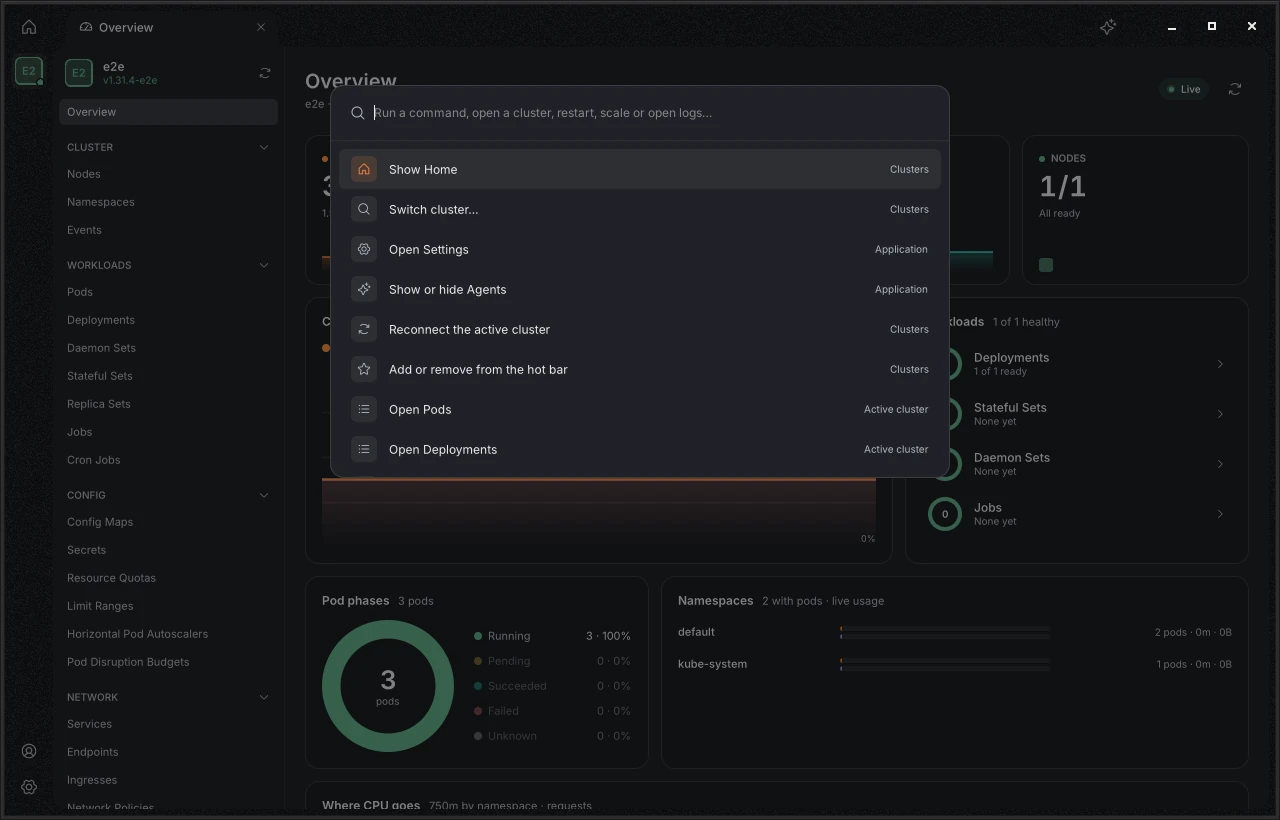
A Kubernetes client drawn with your Mac's own views. Live dashboards, a palette for every action, YAML that dry runs first. It rests at 25 MB.
Also available for Linux.
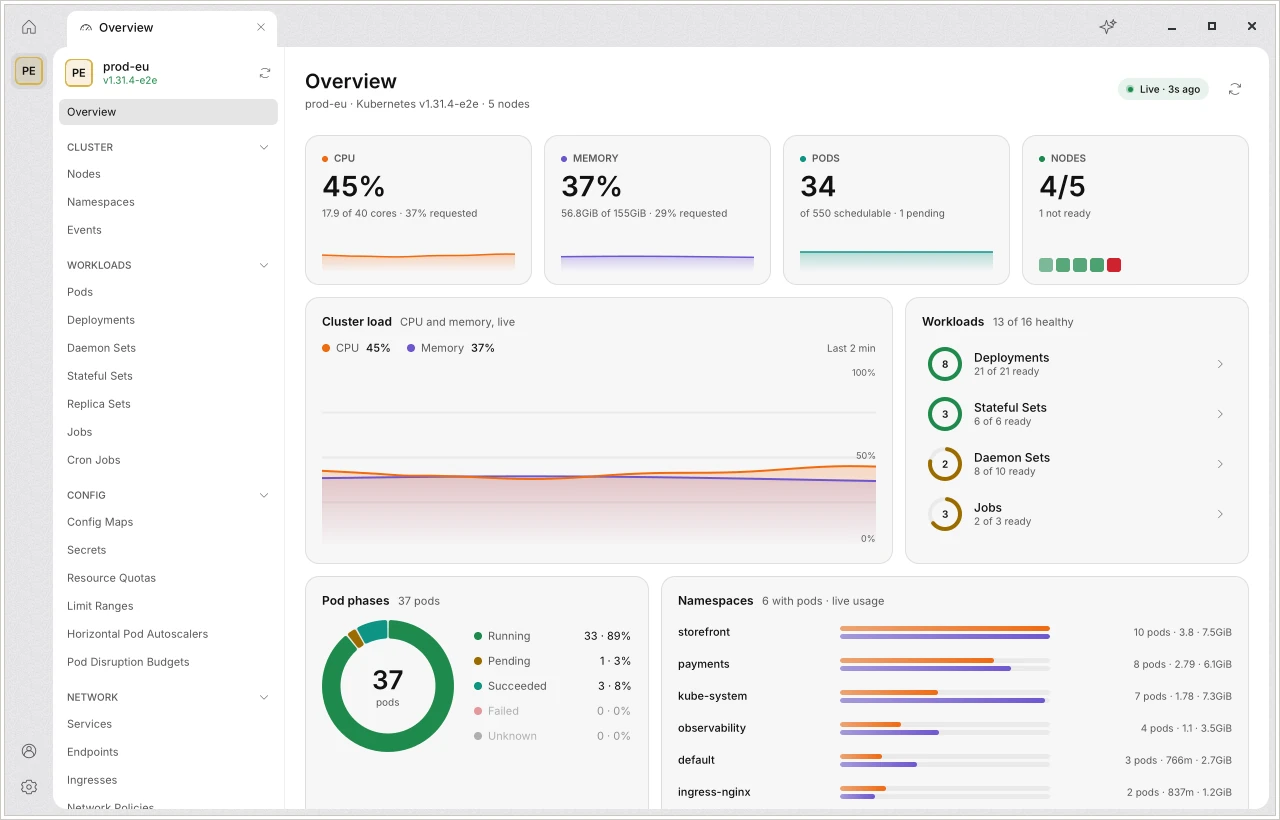
What's inside
01
Open a cluster or a resource list, restart or scale a workload, or jump to a pod's logs or shell without leaving the keyboard. Anything that changes the cluster asks first.
$ ⌘K
02
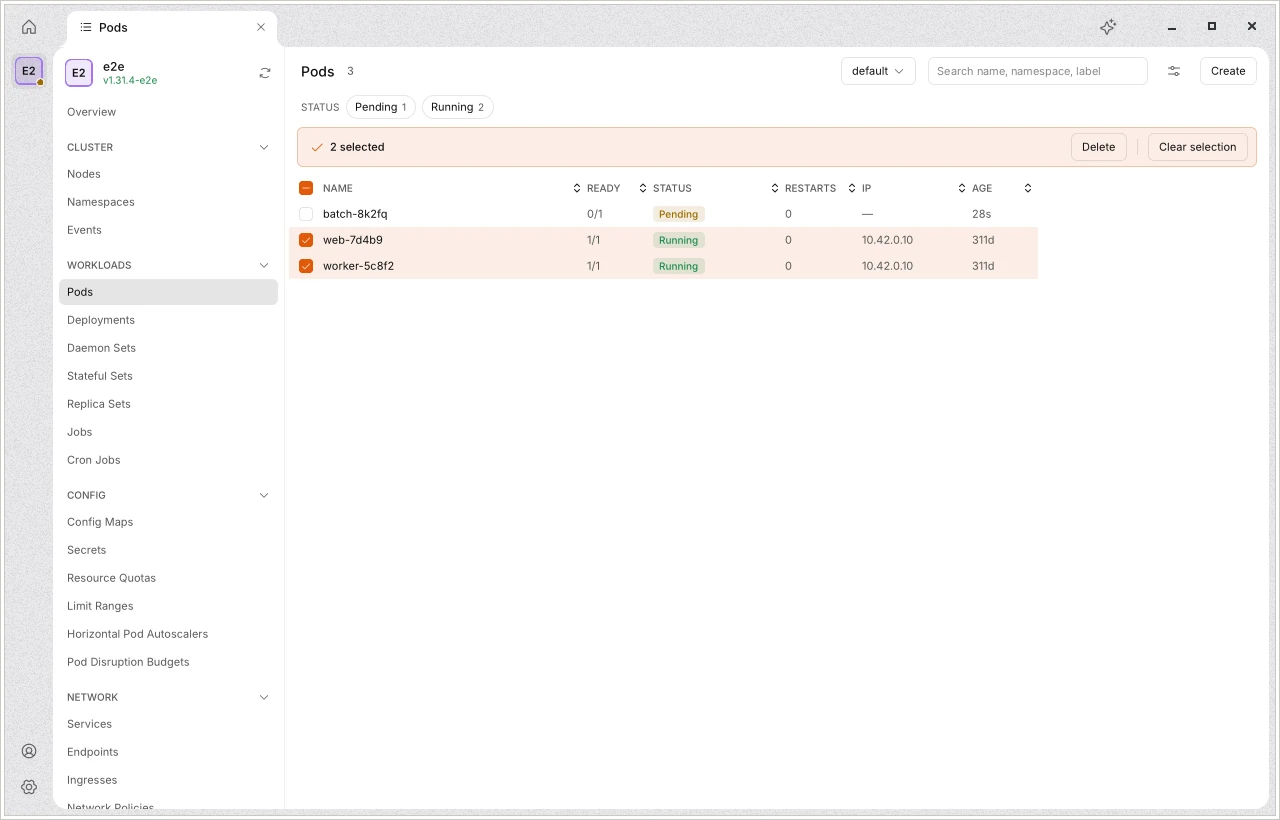
Resource lists follow the cluster through watch streams. Filter by status, pick rows for bulk actions, and read live CPU and memory from metrics-server right in the table.
$ get pods -w
03
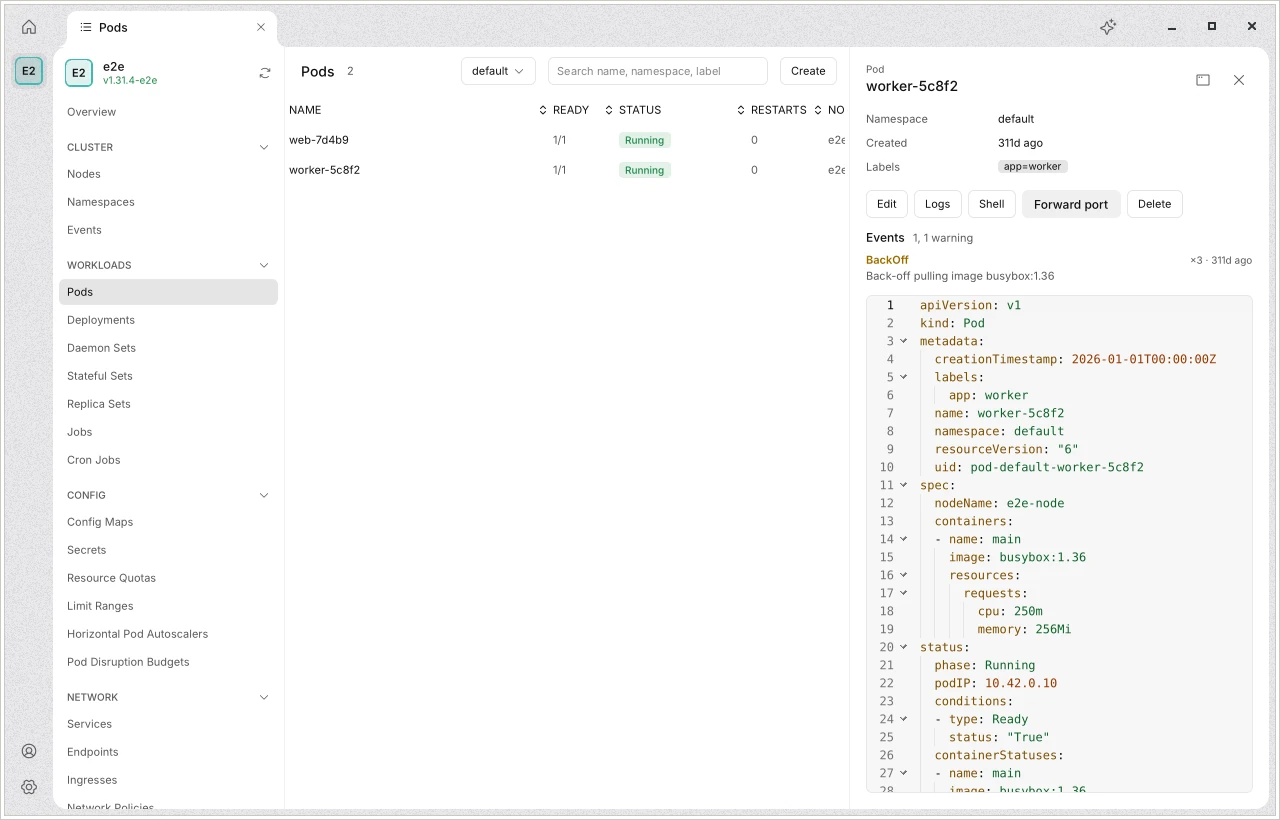
Open any object to see its fields, its latest events with warnings in amber, and its YAML. Shell, logs and port forwards are one click from a pod.
$ describe
04
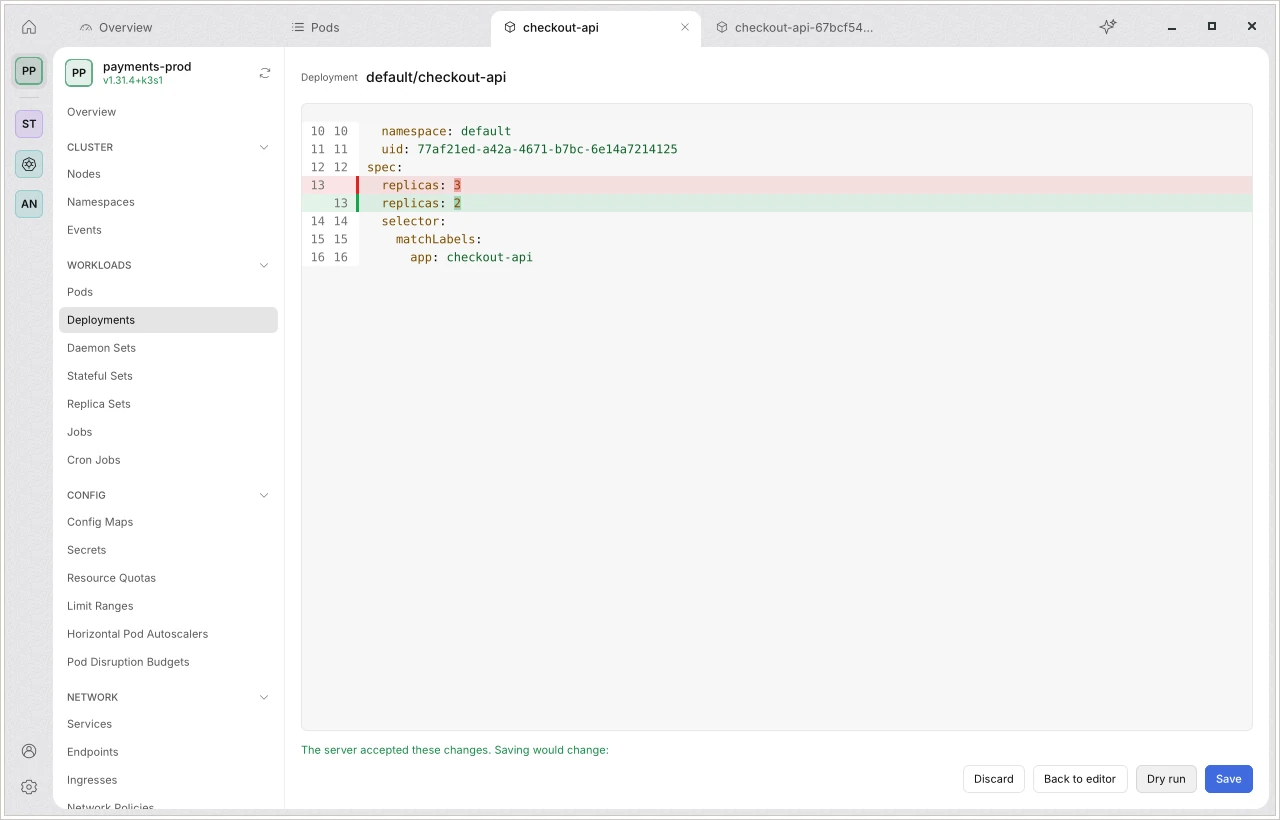
Edit YAML in a tab, dry run it against the API server and read the diff before you save. Create from templates with server-side apply, custom resources included.
$ apply --dry-run=server
Measured before every release
2.0×
less memory than the GPUI build
3.8×
less memory than the GPUI build
6.0×
less CPU than the GPUI build
1.8×
less CPU than the GPUI build
Photo finish
≈
level with the GPUI build
The small print
MacBook Air: Apple M3, 16 GB, macOS 27.0 (26A428). Measured November 7, 2026.
Each figure is the median of every run, so one fast run can't flatter a build. Lens, Freelens and Headlamp come next, on the same Macs.
How we measureEvery runFAQ
Short answers, all of them true today.
SolKube is a desktop Kubernetes client, in the same family as Lens, Freelens and k9s. It is written in Rust and draws with each platform's own views (AppKit on macOS), so it opens in about a quarter of a second and uses around 25 MB of memory at rest.
No. SolKube talks to your API servers straight from your Mac with your own kubeconfig and cloud CLIs. There is no SolKube account and no telemetry. The only other request it makes is the update check to downloads.solkube.com.
Any cluster your kubeconfig reaches, including exec-plugin auth. SolKube can also find your Amazon EKS, Azure AKS and Google GKE clusters through the aws, az and gcloud CLIs you already use.
Pricing isn't final yet. We'll publish it here before the first public release.
SolKube builds and runs on Linux with GTK 4 today, and our end-to-end tests drive it there. Published builds start with macOS on Apple silicon.
Not yet. A browser build is planned, and when it lands the demo page will run the real app against a sample cluster.
Native on macOS
Point it at your kubeconfig, or let it find your EKS, AKS and GKE clusters. Nothing to install in the cluster.
macOS · Apple silicon · Updates through Sparkle · No account
Also available for Linux.